
Product Introduction
Knowlify AI (Agent Assistant) is part of the "Second Brain Program". The goal of this tool is to convert information in mainstream internet formats into a corpus that AI can understand. By leveraging AI's capabilities, it quickly extracts key information and assists in collaborative thinking and decision-making, allowing users to gain deep insights into a specific field of knowledge. It is most suitable for "Industry Research" and "Investment Decision-making".
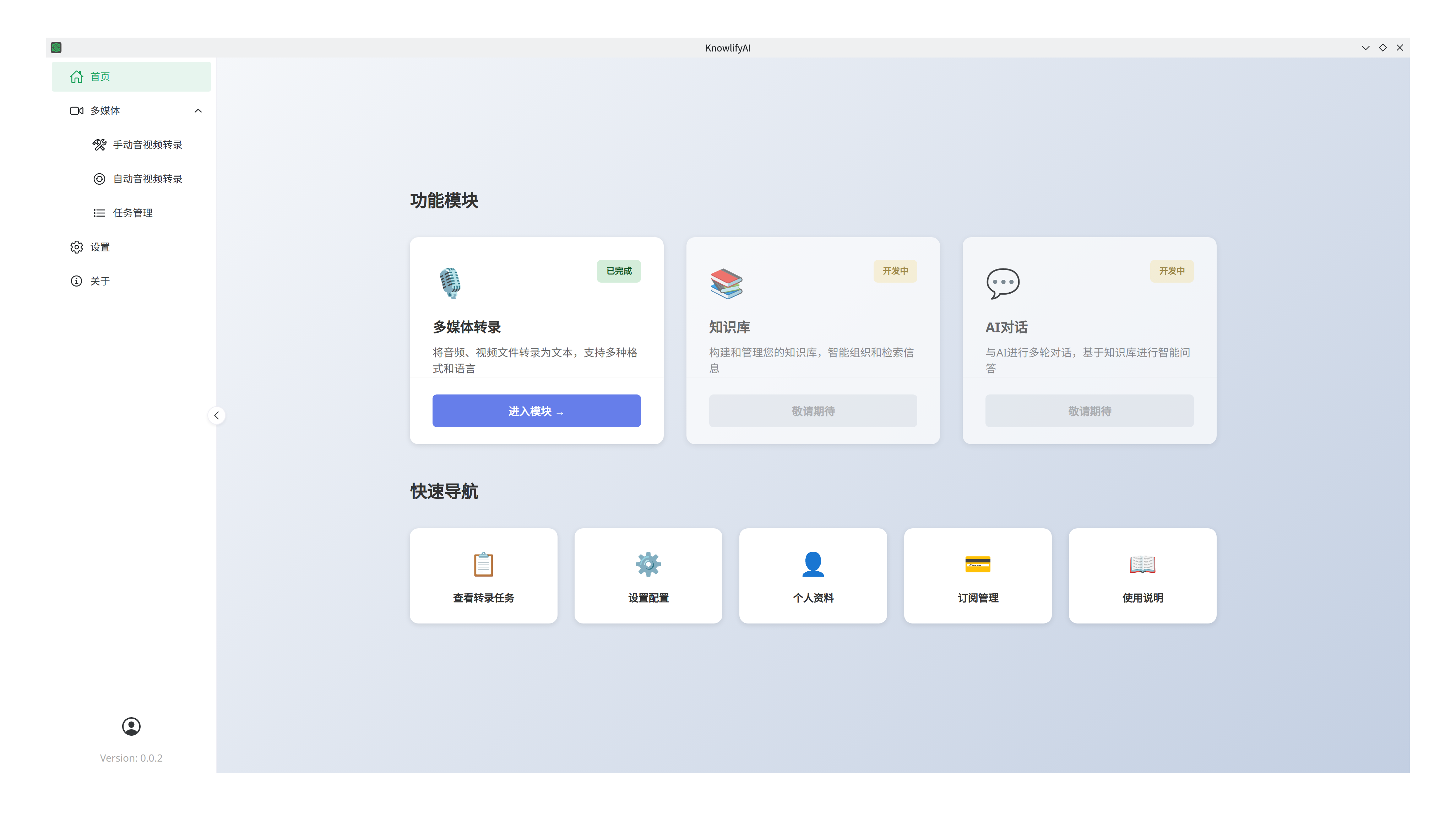
Version Selection and Download
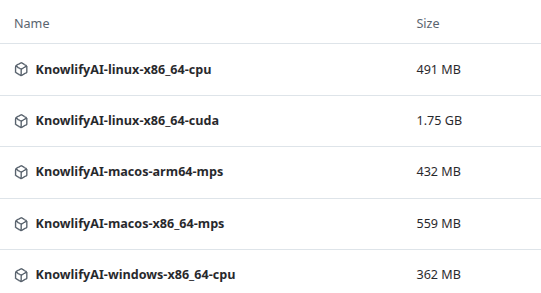
This software supports Windows, Linux, and macOS systems, with separate versions for CPU and GPU (NVIDIA only).
- Windows: Currently does not support ARM CPUs; only x86_64 CPUs are supported.
- If you have an NVIDIA GPU, choose KnowlifyAI-Windows-x86_64-cuda.7z (includes CUDA support).
- Otherwise (other brands or integrated graphics), choose KnowlifyAI-Windows-x86_64-cpu.7z.
- macOS: For Apple Silicon (arm64 architecture), choose KnowlifyAI-macOS-arm64-mps.zip. For Intel CPUs, choose KnowlifyAI-macOS-x86_64-mps.zip. For common issues on macOS, please refer to this guide.
- Linux: Currently does not support ARM CPUs; only x86_64 CPUs are supported.
- If you have an NVIDIA GPU, choose KnowlifyAI-linux-x86_64-cuda.7z (includes CUDA support).
- Otherwise (other brands or integrated graphics), choose KnowlifyAI-linux-x86_64-cpu.7z.
- Download: Click here to download. Since the package is very large, an alternative Cloud Drive is provided. Please use 7-zip to extract the files. No installation is required; simply run the application after extraction.
Hardware Requirements
The software runs speech recognition models locally, which require approximately 3GB of RAM.
Minimum computer requirements:
- CPU: 4 cores or more;
- Memory: 8GB or more;
Performance benchmarks: On an AMD Ryzen 7 PRO 5850U (16 Core) @ 1.90 GHz + 48GB RAM + Integrated Graphics (1GB VRAM):
- 6-minute MP3 (3MB): 48 seconds.
- 1 hour 53-minute MP3 (88MB): 14 minutes.
On an Intel(R) Xeon(R) E3-1270 V2 (8) @ 3.90 GHz + 16 GB RAM + NVIDIA RTX A2000 (8GB VRAM) server:
- 6-minute MP3 (3MB): 5 seconds.
- 1 hour 53-minute MP3 (88MB): 1 minute.
Features
Multimedia Transcription
Description
Multimedia transcription (audio/video to text) allows you to extract text from any audio or video file. This enables text searching or building intelligent agents via AI, significantly improving the efficiency of acquiring knowledge from multimedia content.
Use Cases
You find an excellent but long video on Bilibili or YouTube, or the speaker is slow, making it hard to watch entirely. Or you have a large collection of audio/video files on a cloud drive and need to quickly find specific information without knowing where to start.
Highlights
- Batch Transcription: Unlike other products like Baidu or Alibaba which have strict limits on batch size or file length, Knowlify AI supports large-scale batch transcription.
- AI Integration: Supports connecting to AI models for error correction and formatting optimization. Compatible with any model on platforms like SiliconFlow or local Ollama.
- Folder Monitoring: Automatically transcribes new files detected in a specified directory.
Demo
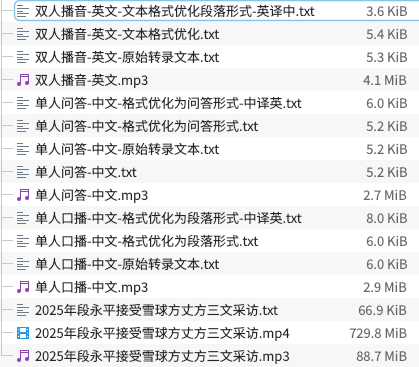
Please visit here to see the results.
Usage
The software supports batch processing:
- Select multiple files to submit; they will be transcribed sequentially.
- Select a folder; all files within will be processed.
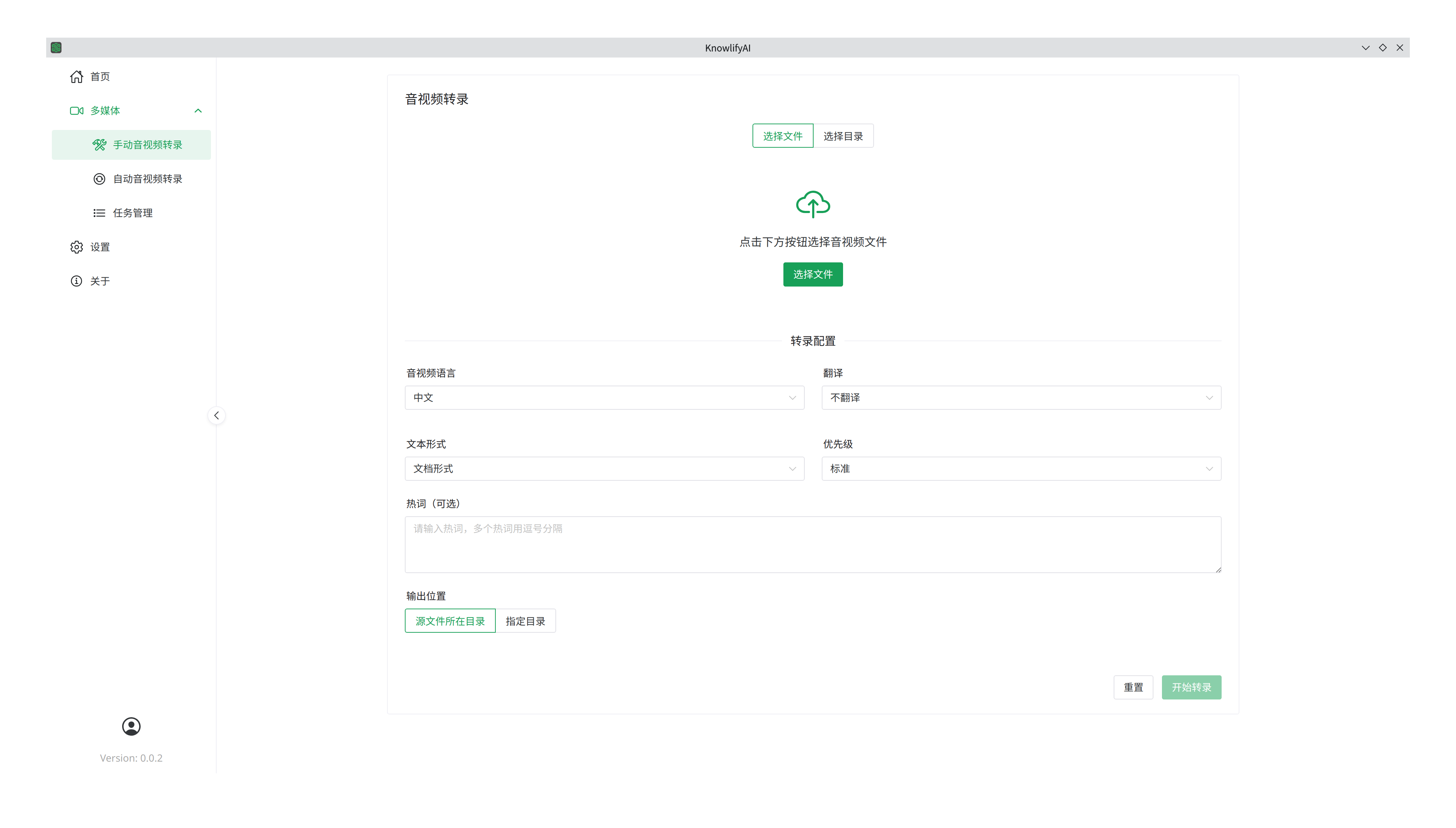
Manual Transcription Parameters:
- Language: Supports English, Chinese, or mixed English-Chinese.
- Translation: Translate the transcribed text (supports English and Chinese).
- Output Format:
- Document: Basic text with AI-assisted error correction.
- Q&A: Formats text as a series of questions and answers (requires LLM).
- Paragraph: Organizes text into natural paragraphs based on context (requires LLM).
- Original: Raw transcription without AI processing (no LLM required).
- Priority: Set different priorities for batch tasks.
- Hotwords: Provide specific terms or technical jargon to improve recognition accuracy for ambiguous pronunciations.
- Output Location:
- Source Directory: Saves results in the same folder as the source file.
- Specified Directory: Saves all results to a single chosen folder.
Steps:
- Choose "Select Files" or "Select Directory".
- Configure parameters.
- Click "Start Transcription".
Auto-Transcription
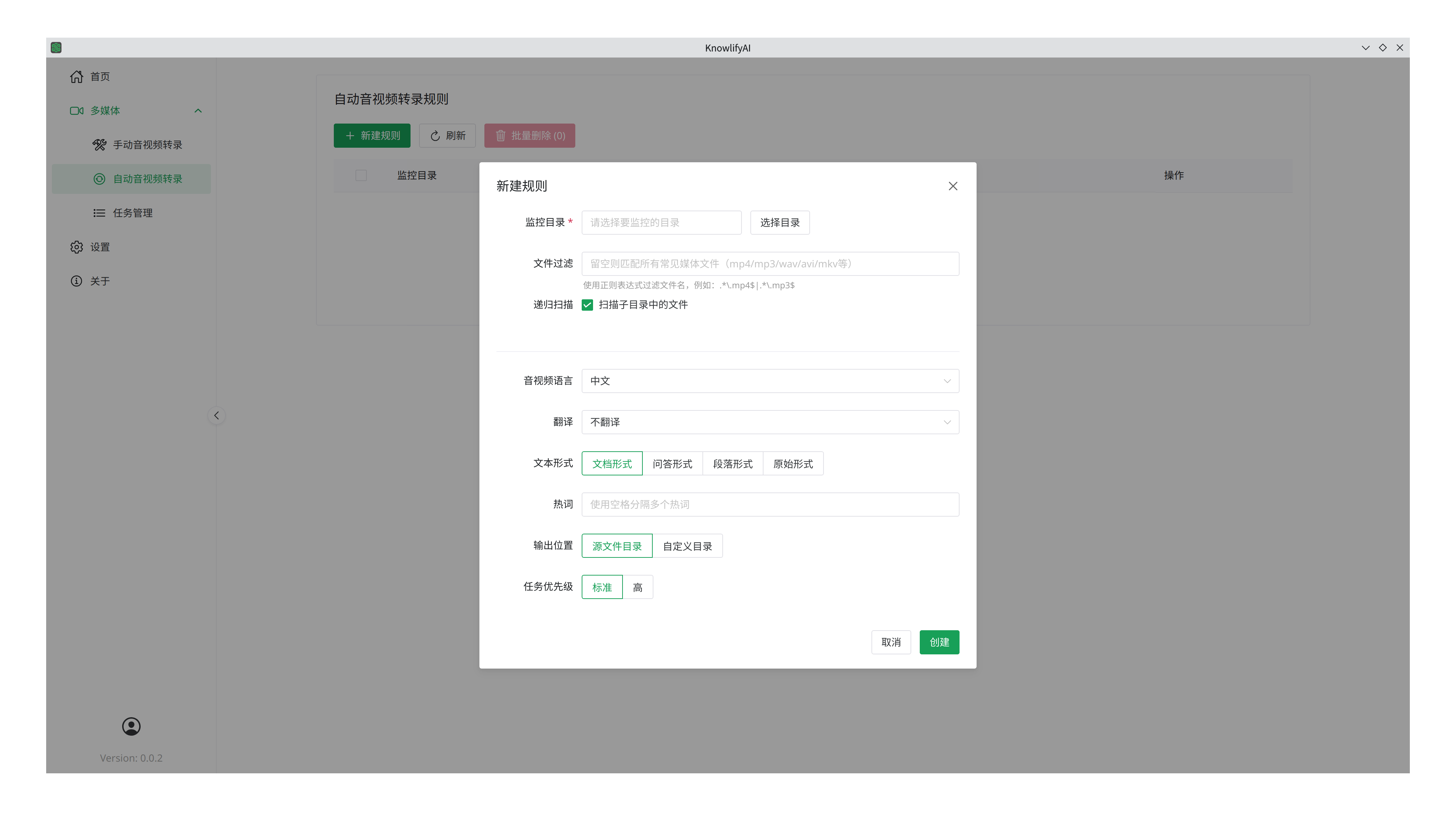
Parameters are similar to manual transcription, with these additions:
- Watch Directory: Automatically processes any new file appearing in this folder.
- File Filter: Define rules (using Regex) to process only specific files. You can use tools like DeepSeek to help write these rules and test them.
- Recursive Scan: Choose whether to scan subdirectories.
Task Management
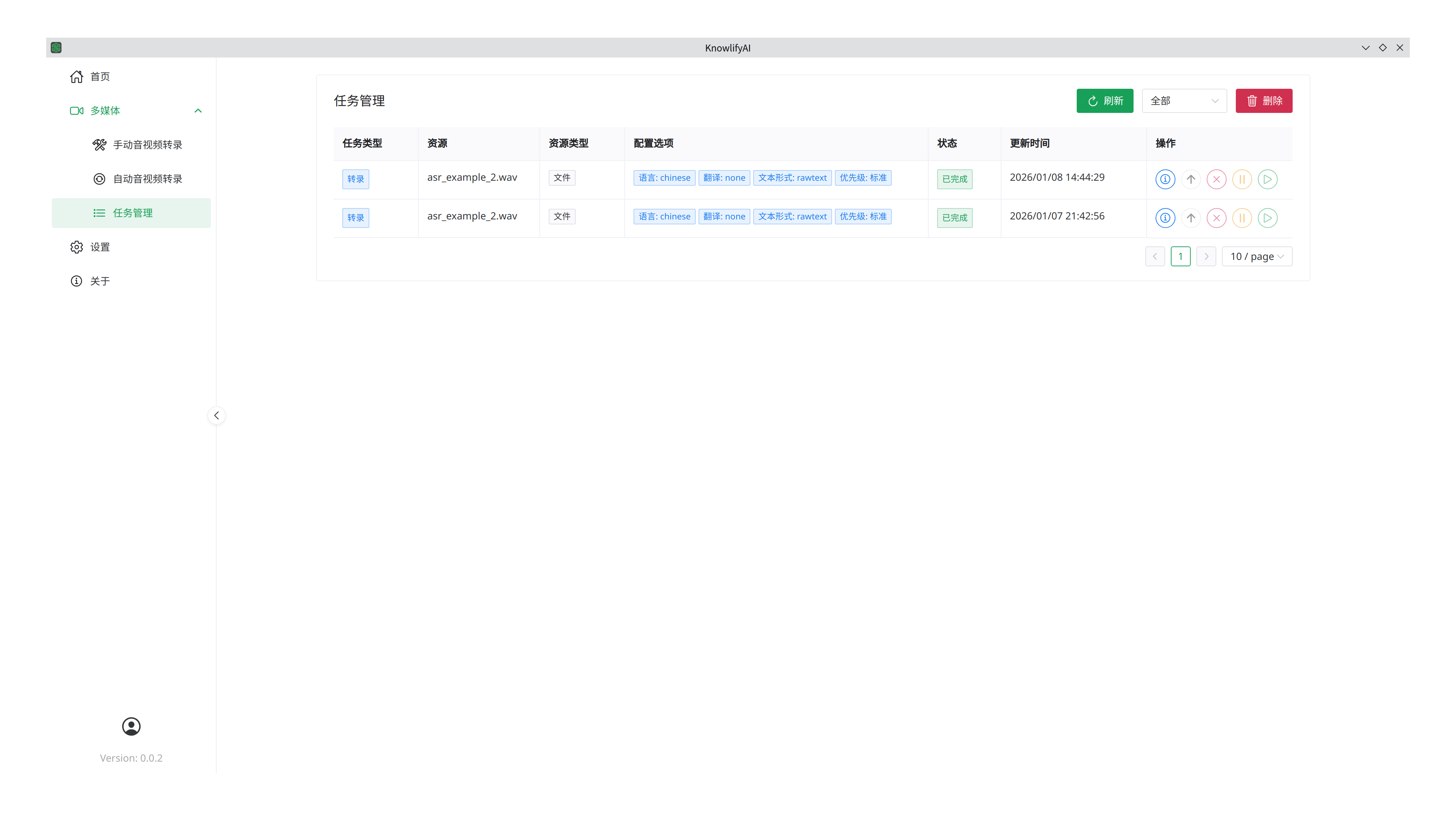
For each task, available actions include: Details, Cancel, Pause, and Resume.
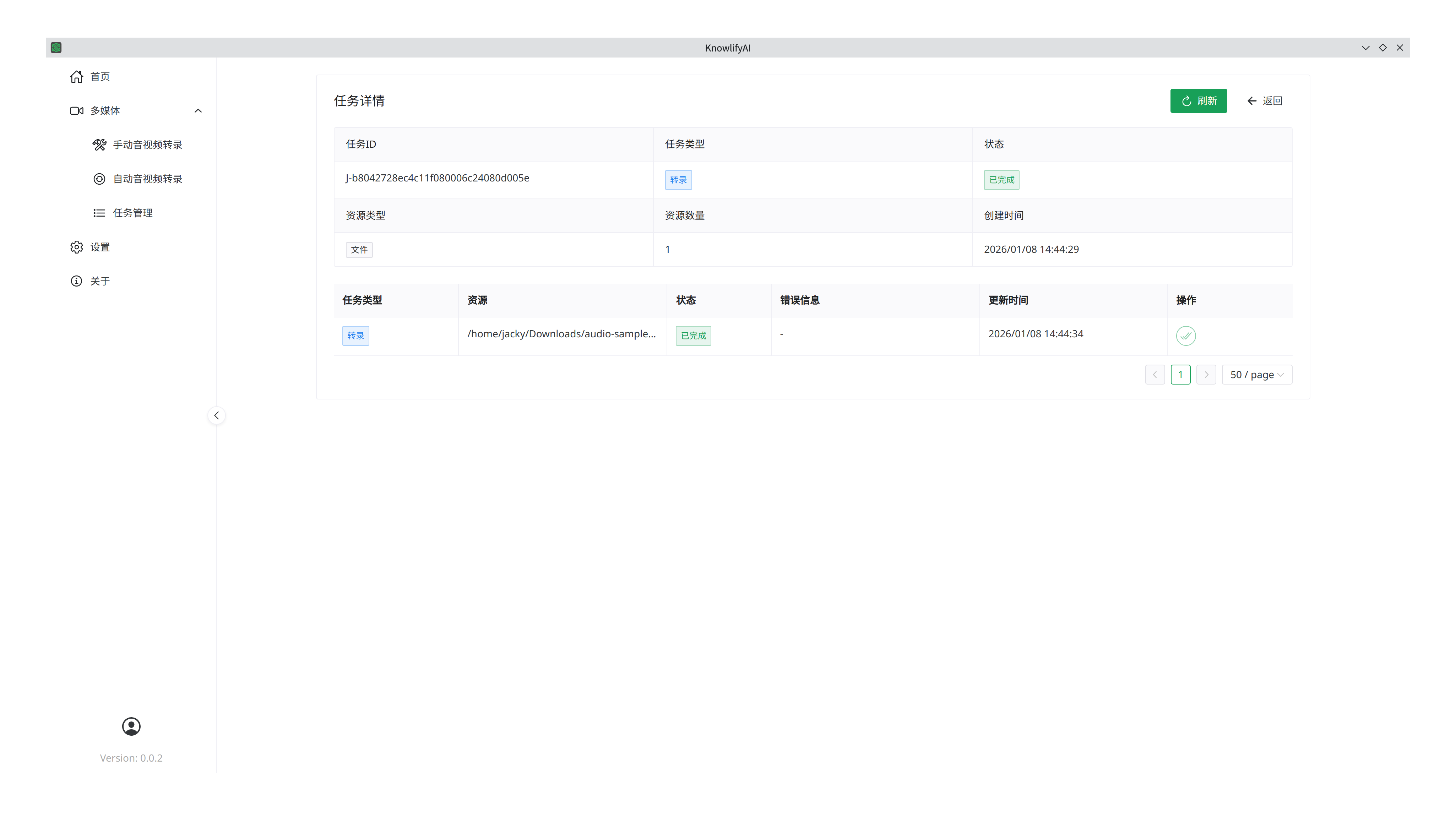
Click Details to view progress and error information for individual files.
Settings
LLM Configuration
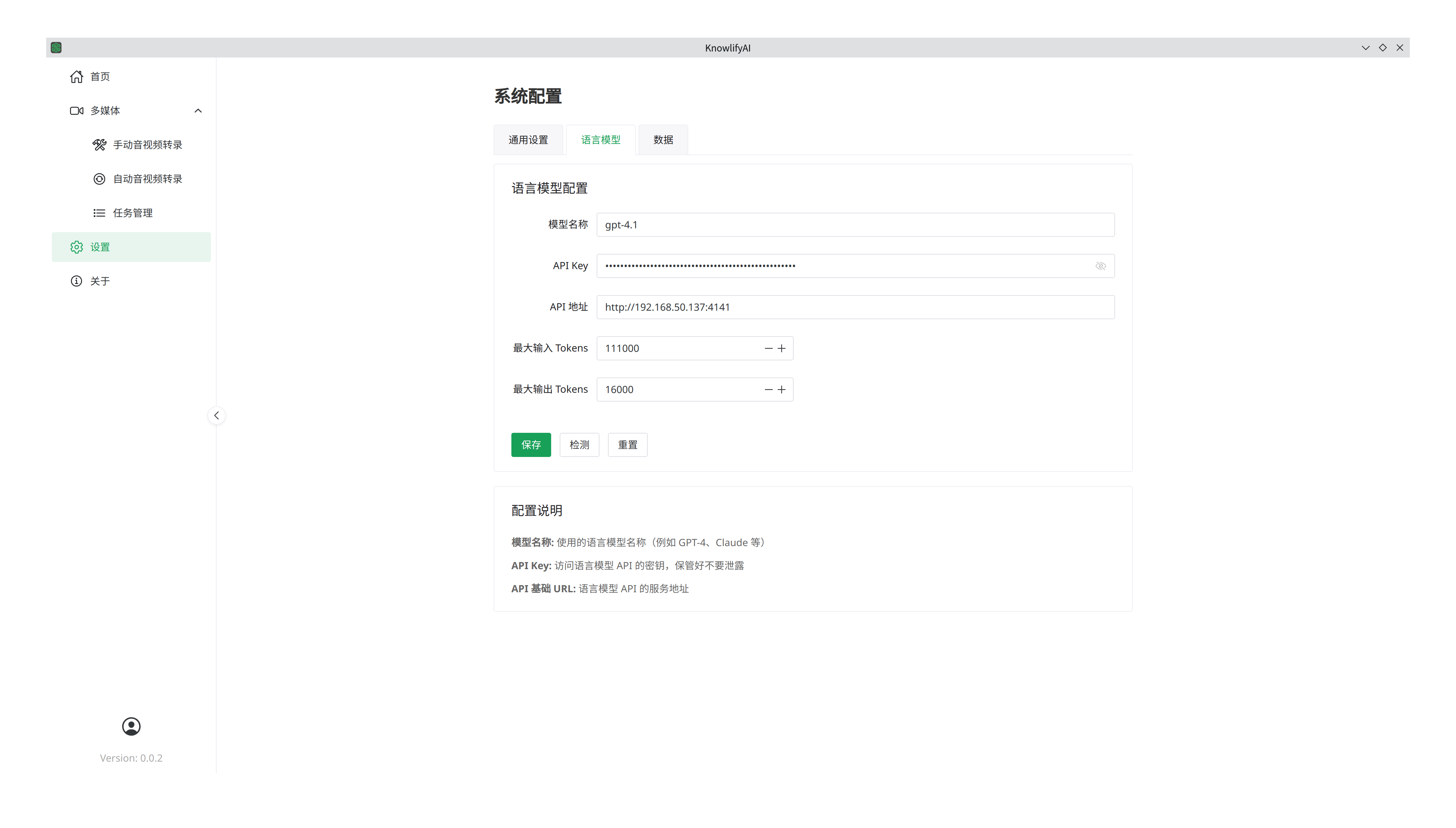
Advanced features require a Large Language Model (LLM). For example, using SiliconFlow:
- Register and top up on their website.
- Copy your API Key and paste it into the "API Key" field.
- Set the "API URL" to
https://api.siliconflow.cn. - Enter the "Model Name" (e.g.,
deepseek-ai/DeepSeek-V3). Refer to the SiliconFlow Model Marketplace for current names. - Click "Save". You can click "Test" to verify the connection.
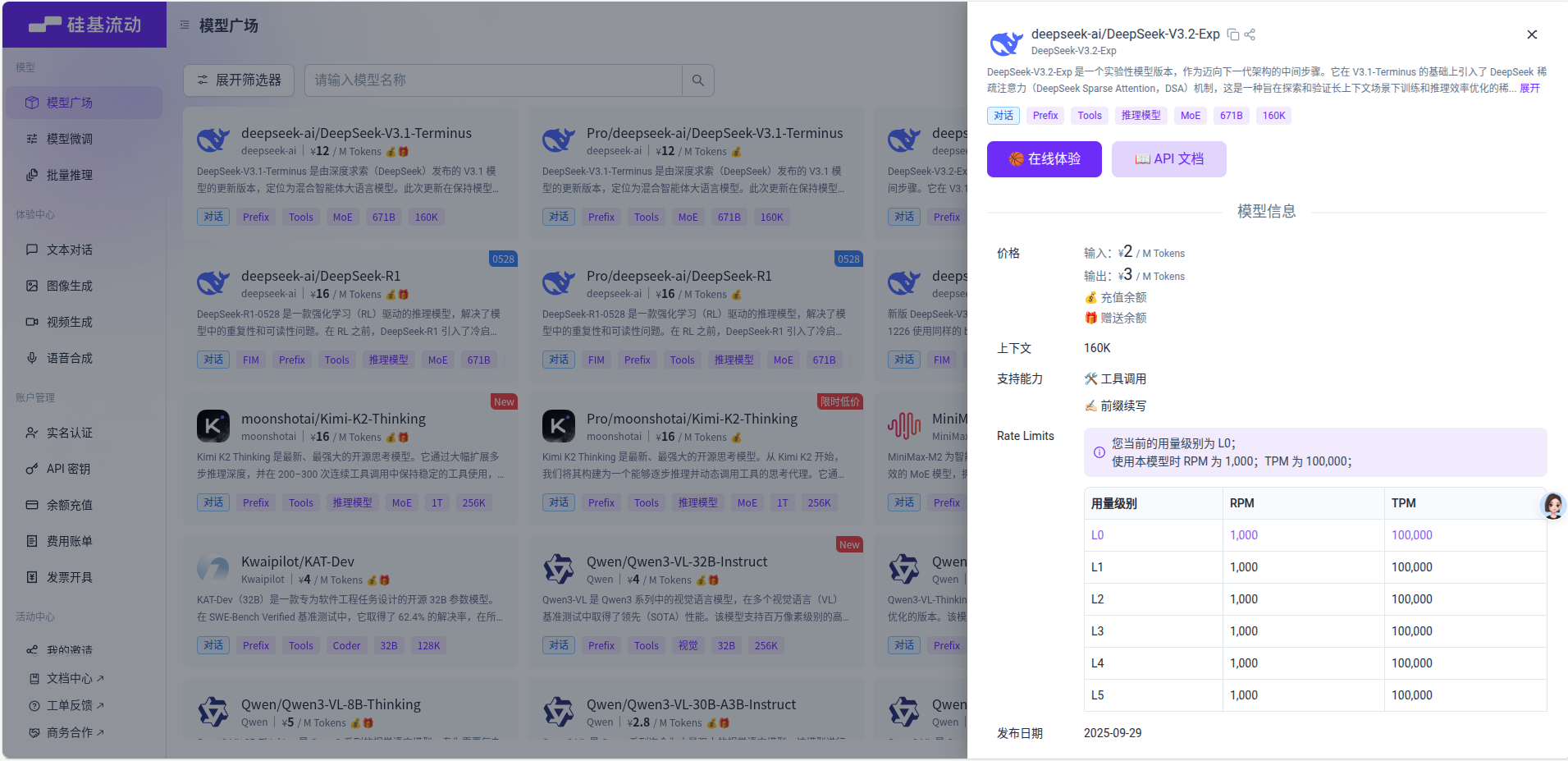
Supported Providers
Current vendors include:
- OpenAI, Gemini, Anthropic, xAI, SiliconFlow, Moonshot, DeepSeek, Ollama, and other OpenAI-compatible APIs.
Common Model Parameters
| Parameter | DeepSeek-V3 | GPT-4o | Gemini-1.5-Pro | Claude-3.5-Sonnet |
|---|---|---|---|---|
| Context Window | 128k | 128k | 1M - 2M | 200k |
| Input Price (per 1M) | $0.14 - $0.27 | $2.50 | $1.25 - $2.50 | $3.00 |
| Output Price (per 1M) | $0.28 - $0.55 | $10.00 | $10.00 - $15.00 | $15.00 |
Note: Pricing is for reference. Choose lower-cost models like DeepSeek for large-scale transcription processing.
Key Metrics:
- Context Window: Determines the maximum text length the model can process at once. For very long transcripts, choose models with larger windows (e.g., 1M).
- Cost: Processing transcription results doesn't always require top-tier reasoning. Favor cost-effective models for bulk tasks.
Subscription
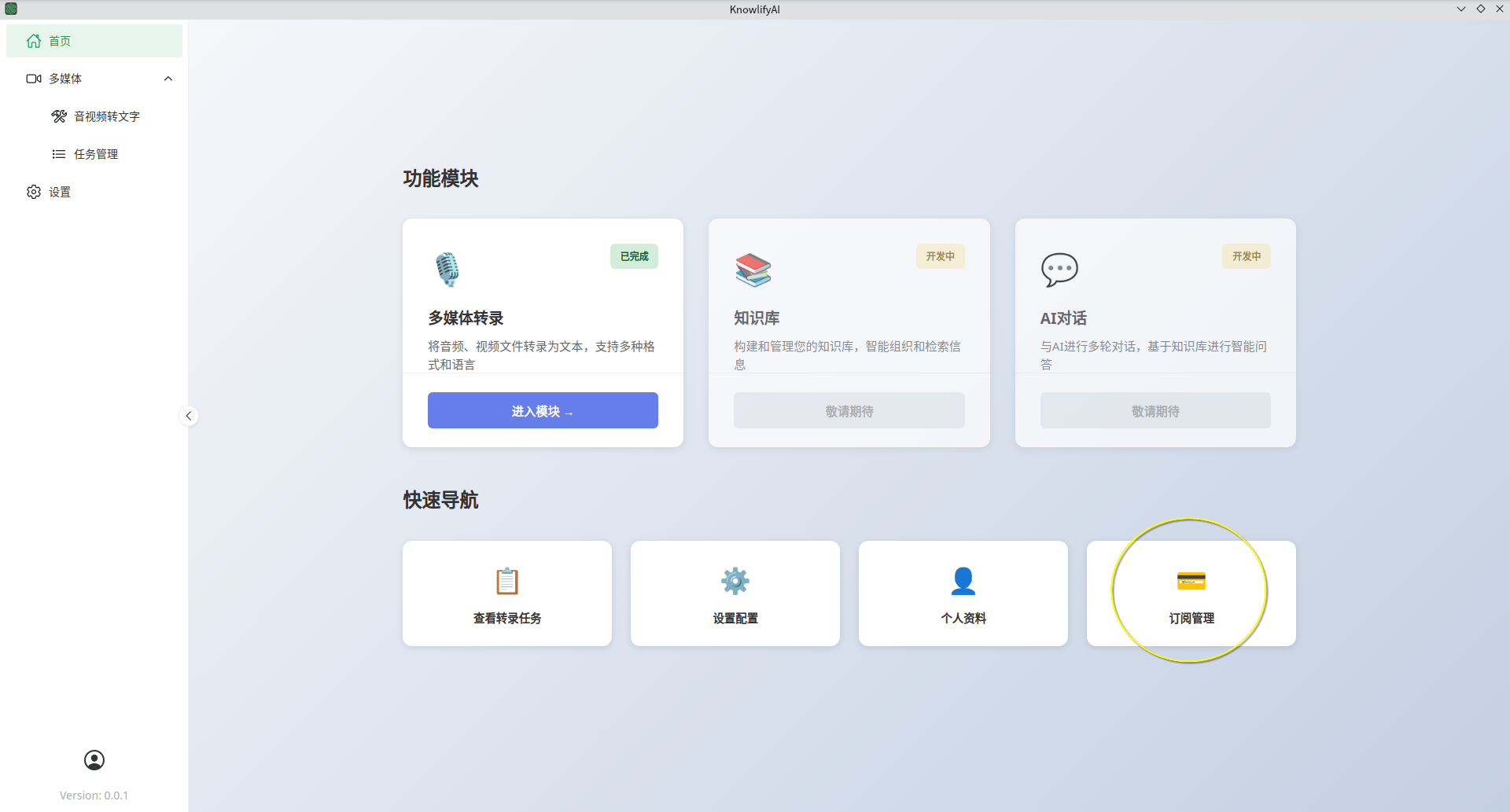
The subscription fee covers the software license only and does not include 3rd-party LLM costs, which are billed separately by those platforms.
Important Notes
- During the first transcription, the software will download the AI models (several GBs). This initial wait will be longer; subsequent runs will be much faster.
- For other questions, please refer to the FAQ.