
FAQ
Does the activation code have a time limit?
The activation code is valid permanently.
How do I get remote assistance?
If you encounter software issues that cannot be resolved through simple communication, we offer free remote assistance. However, we do not provide free tutorials (e.g., if a user hasn't read the manual or downloaded the software and wants us to perform the installation and downloads for them). Before requesting assistance, please install ToDesk.
How many computers can one activation code activate?
Currently, the limit is 3 computers, but this may be adjusted in the future.
Can I download content from planets I haven't paid for?
No. content from unpaid or non-joined planets cannot be downloaded. Please support the official platform and pay for access first.
How does the software work?
Planet Helper includes its own Chrome browser, which it controls to download posts and content from ZSXQ. This browser is separate from your system's default browser, even if both are Chrome.
How do I find my Home folder?
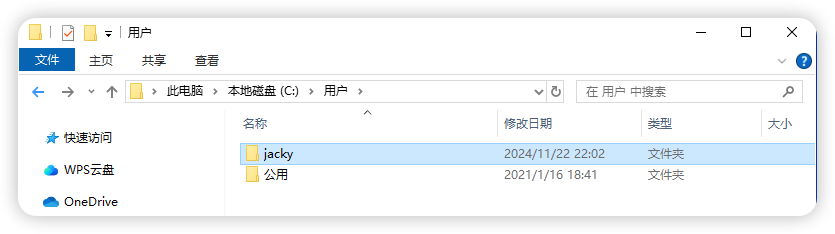
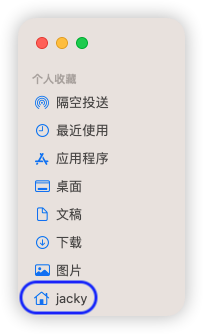
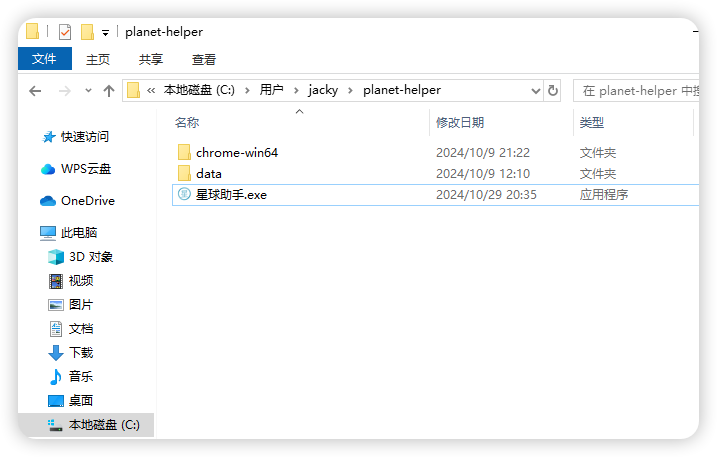
On Windows, macOS, and Linux, the "Home folder" is where your "Downloads" folder is located.
- Windows:
C:\Users\YourName, or simply enter%USERPROFILE%in the file explorer address bar and press Enter. - macOS: Click the folder with your name in the Finder sidebar.
- Linux: The
~directory.
Why do I need to log in again in the software's browser?
The software uses an independent Chrome instance. It does not share login sessions or cookies with your system's default browser. Therefore, you must scan the QR code to log in within the software's browser.
What data can this software download?
It can download post text, images, and various attachments (MP3, Word, Excel, PDF, TXT, etc.). Video file support has not been extensively tested.
Can the software download videos from ZSXQ?
Most ZSXQ groups do not allow video uploads, so this has not been tested.
Can links within posts be downloaded?
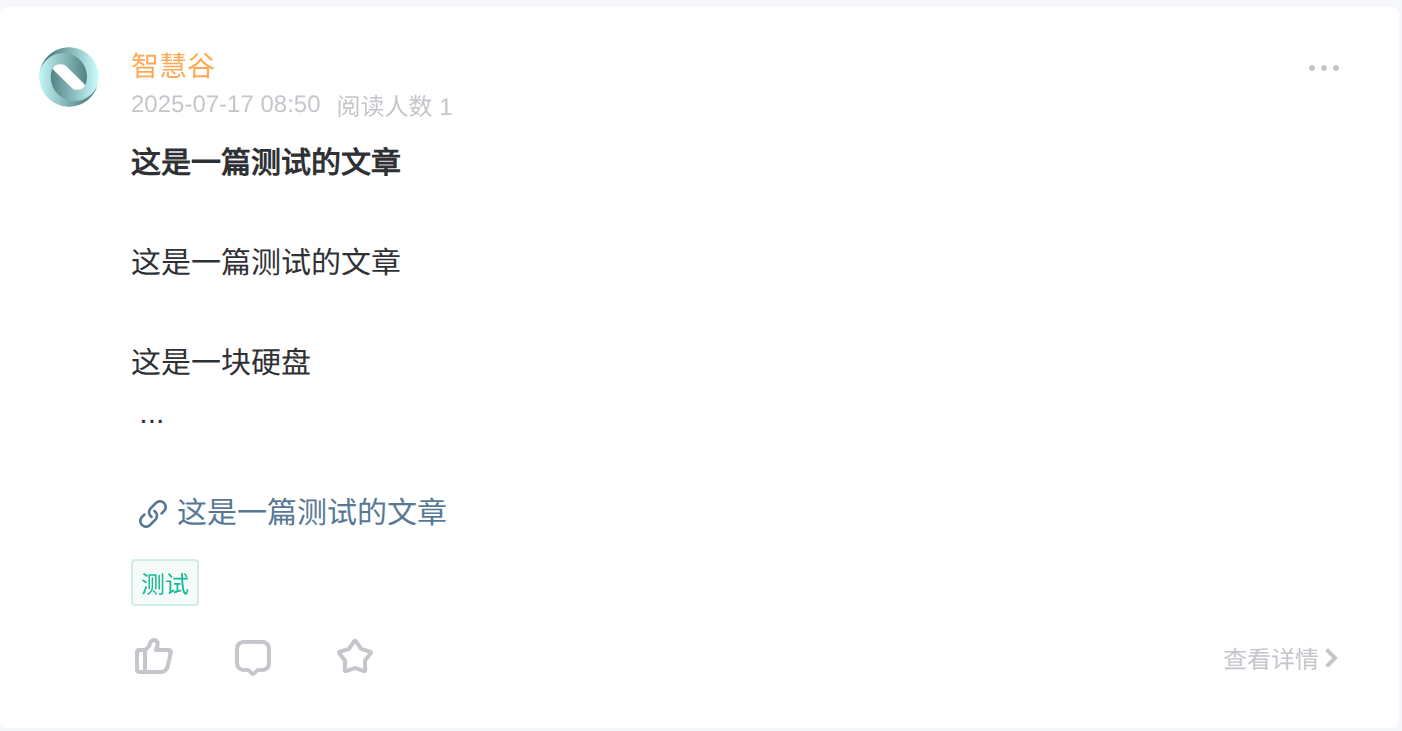
Currently, only internal ZSXQ "Article" links (posts created via the "Write Article" feature) are supported.

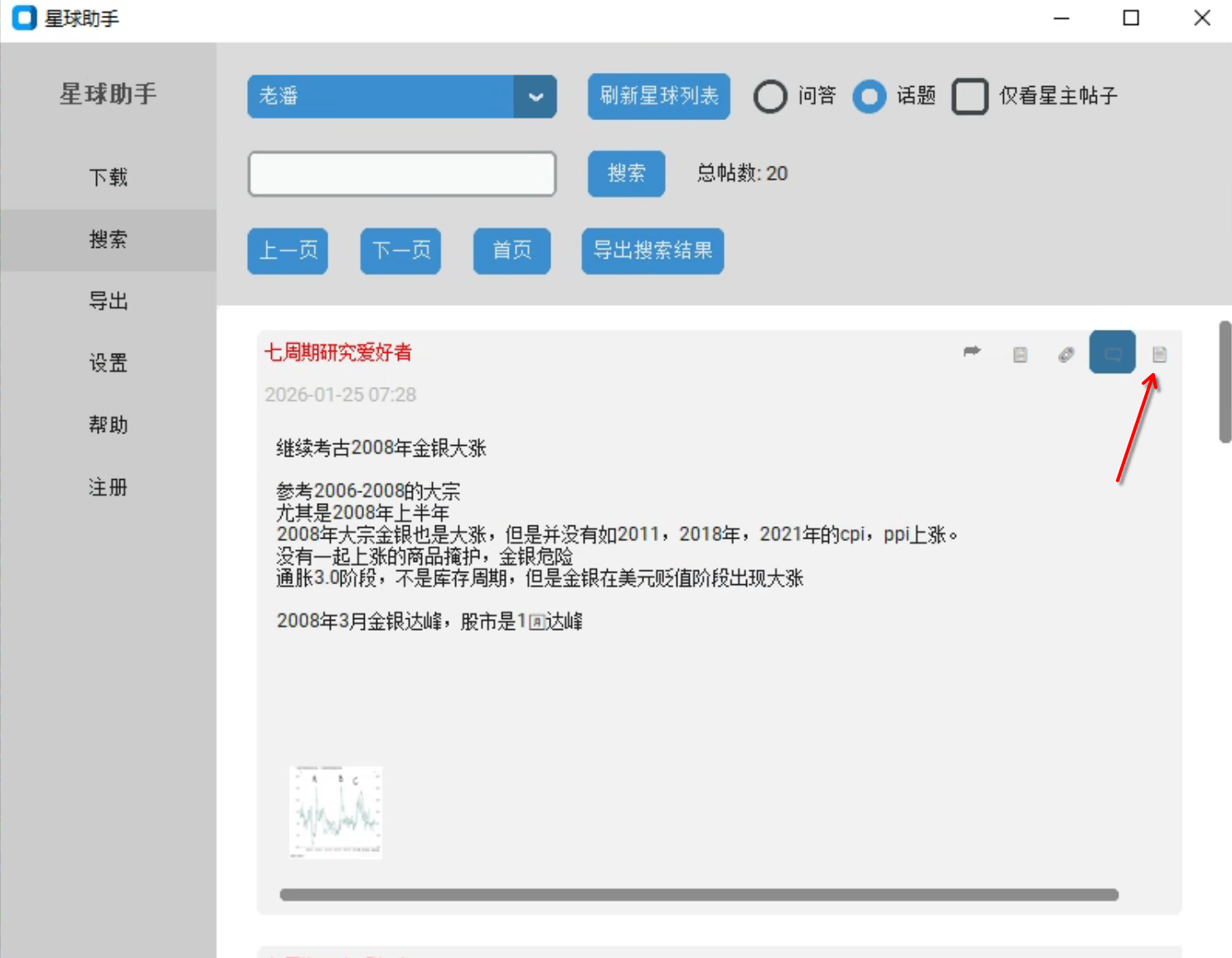
For these "Articles," the software downloads the text and saves the entire post as a PDF. Note that images and attachments within these specific linked articles are not currently downloaded separately. You can:
- Search for these article types using keywords.
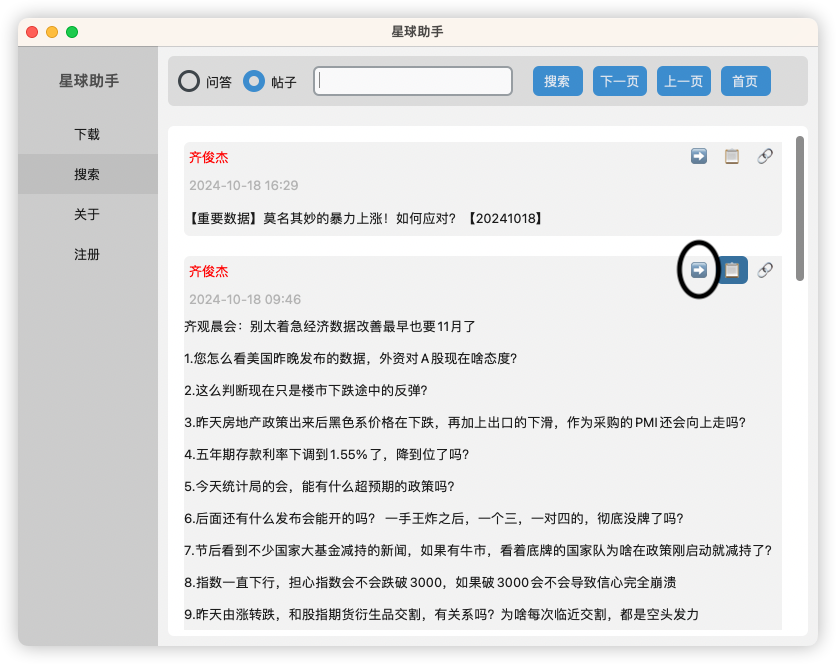
- Click the icon to open the PDF file.
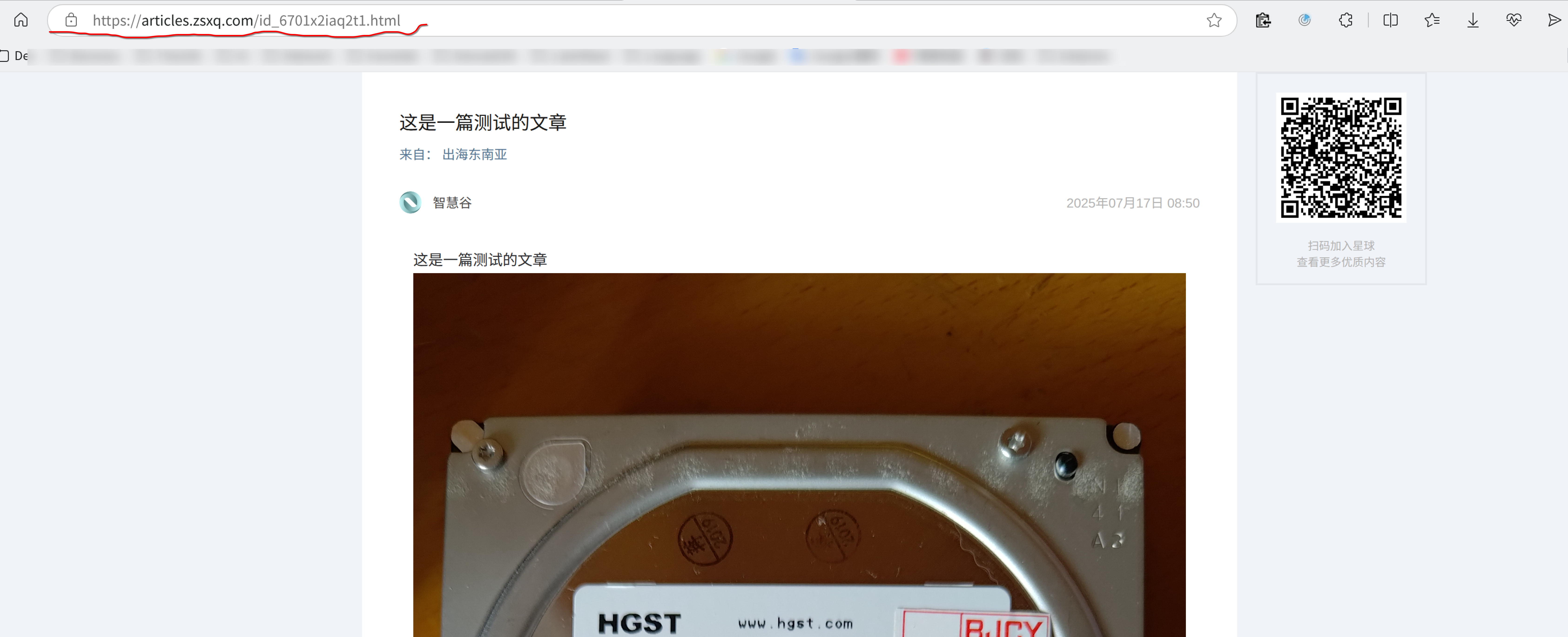
Are Feishu (Lark) or Yuque links supported?
No. Only internal ZSXQ "Article" links are supported at this time.
Where is the downloaded data stored?
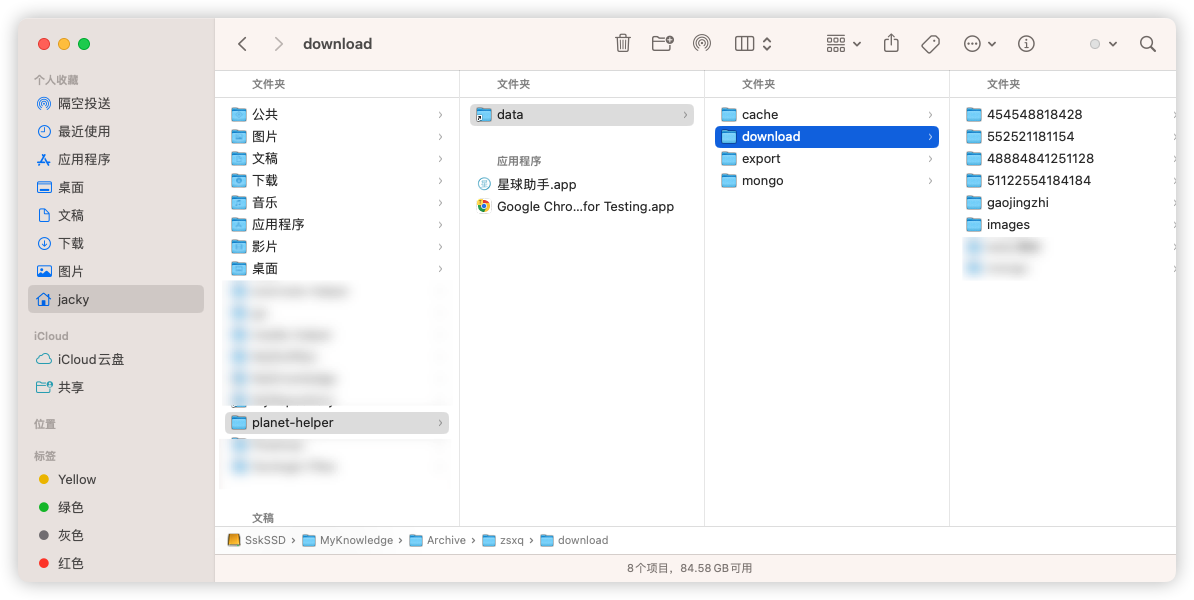
Data is stored in the planet-helper folder within your Home directory (the same level as your "Downloads" folder). Within that, the data/download subfolder contains all downloaded images and attachments, organized by planet. Note: Post text is stored in a database and cannot be viewed directly. Use the software's Search module to view them. You can click "Search" without a keyword to view posts chronologically.
How do I back up my data?
All data is stored in the data folder. To back it up, close the software and copy this folder to another location. You can keep multiple time-stamped backups. To restore, delete the current data folder and replace it with your backup (renaming it back to data).
Why hasn't the download stopped after I clicked "Pause"?
The software downloads posts in batches. When you click "Pause," it finishes the current batch before stopping. Please be patient; it will stop shortly. Do not force-close the software or the browser, as this can lead to database errors. If you experience such errors, restart your computer or terminate any remaining mongo processes.
The browser isn't downloading anything after I log in.
If the browser shows "No more content to download" but you know there are new posts, click "Exit Download" and then "Open Planet" to restart the session.
How do I know if all posts from a planet have been downloaded?
There are two ways to verify:
- ZSXQ displays the newest posts at the top. The software's browser scrolls down to load older content. When it reaches the bottom and shows "No more content," the download is complete.
- If you know a keyword from the oldest post in the group, you can search for it in the software. If it appears, everything has been downloaded.
Can the comments on the post be downloaded?
They can be fully downloaded, and the data is saved in the this software's local database. You can search and view them in the "Search" interface of the software, but there's no way to export them as external files.
Can I jump to a specific date for downloading?
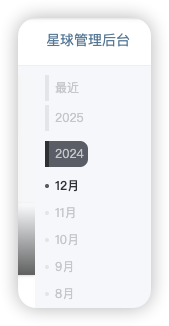
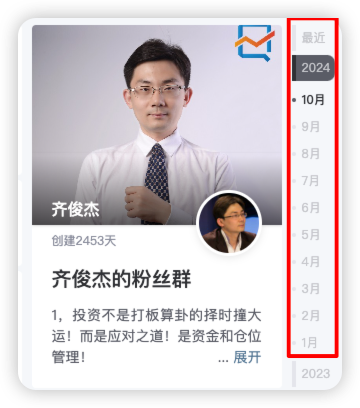
ZSXQ doesn't allow direct navigation by date. However, you can use the software's browser and the ZSXQ web interface's date navigation bar (usually in the top right) to jump to a specific month. The software will then scroll down and download from that point. We recommend downloading one month at a time.
How do I download by date?
Use the date navigation bar in the top right of the ZSXQ web page within the software's browser. Select a month, and the browser will jump to the latest post of that month and start scrolling down. Repeating this for each month is a safe way to download large amounts of data while avoiding being flagged.
What if a download is interrupted?
The software doesn't currently resume from the exact point of interruption. However, you can use the date navigation mentioned above to restart the download for that month. The software automatically skips already-downloaded content, so there's no harm in re-running it.
How do I move the software to another location?
The default directory is Home/planet-helper. If you need to move it (e.g., if the current drive is full), go to the Settings module and use "Select software working directory." Follow the step-by-step instructions; the software will automatically migrate your data. We recommend restarting the app after the move.
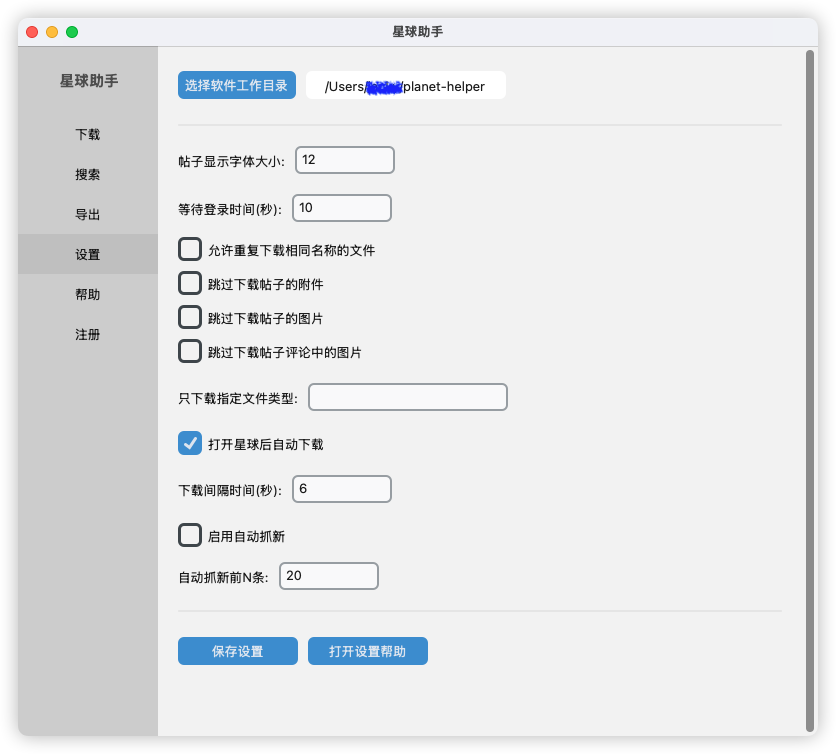
"Target computer actively refused connection" error?
If you see this, disable your system firewall and antivirus, then restart the software.
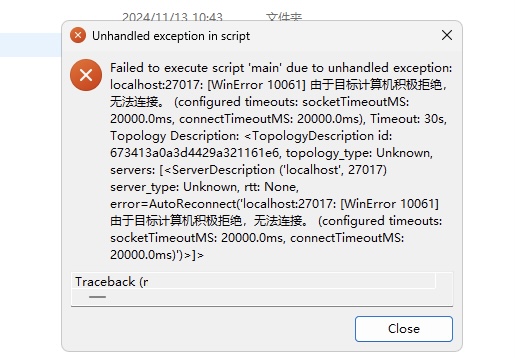
Error opening the software after a fresh download?
You likely double-clicked the .exe inside the zip without extracting it correctly. Please refer to the Installation Guide and ensure your firewall/antivirus is not blocking the app.
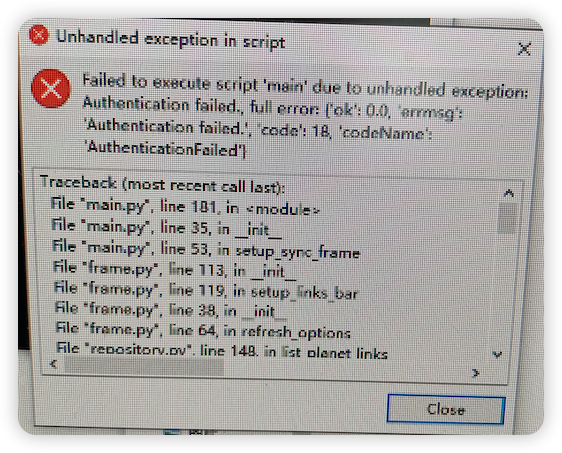
"Database operation error" on startup?
This is usually due to improper installation. Please re-read the Installation Guide carefully.
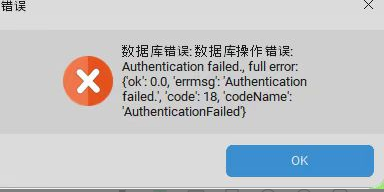
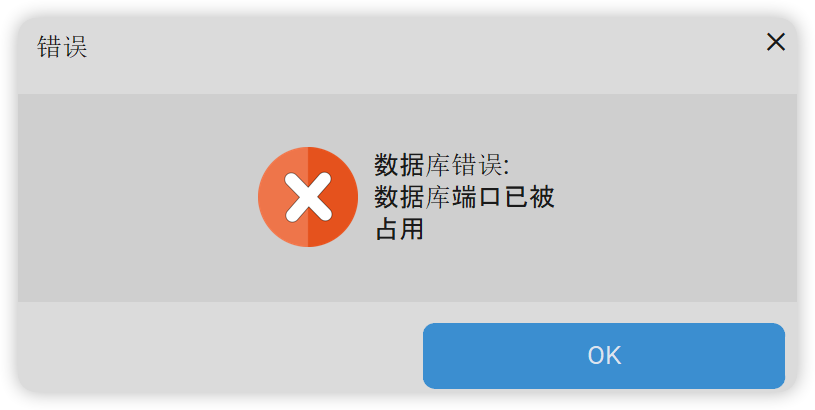
"Database port is already in use" error?
This can be caused by:
- Improperly closing Planet Helper previously.
- Another software using port
27018.
Solutions:
- Restart your computer.
- Open Task Manager, find and end the
mongoprocess, then restart Planet Helper.
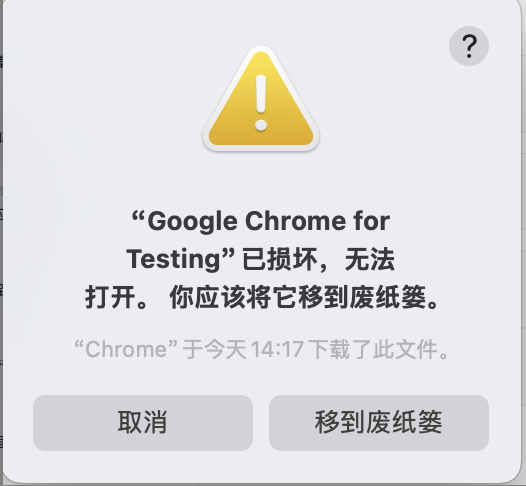
Cannot open Google Chrome browser?
This is often due to macOS security policies. Refer to the macOS FAQ. If the issue persists, consider using a Windows virtual machine.
How do I disable the Windows firewall/antivirus?
Search for "Disable Windows Defender" online or check these external guides (in Chinese): Link 1, Link 2.
Virus scan failed error when downloading?
Refer to this guide or search for "Chrome virus scan failed" online.
Why are only images being downloaded, not attachments?
Possible reasons:
- Check your Settings to see if "Skip downloading attachments" is enabled.
- The group owner may have restricted attachments to "view only" within the app, prohibiting downloads.
How do I print posts?
There is an "Export" button in the top right of each post. This exports the text and images to Word and Markdown formats. You can then use Word or WPS to convert them to PDF for printing.
What is the layout of exported posts?
The layout attempts to match the ZSXQ web version as closely as possible, though some special cases may vary slightly.
Will using Planet Helper get my account banned?
Downloading large amounts of data continuously may lead to a temporary suspension of download privileges, though browsing usually remains available. There are no hard rules, but experience suggests this happens after several hundred files. We recommend pausing every hour or so for a break. Using the "by month" browsing feature is also a safer way to pace your downloads.
How many posts can I download in a day?
ZSXQ limits attachment downloads (PDF, Docx, etc.) to roughly 200–300 per day to prevent scraping. Once reached, you'll be blocked from downloading more attachments until the next day. There is no known limit for purely text-based posts.
Can I still use the software if my ZSXQ account is banned?
No.
Can I log into multiple planets at once?
No. You must finish with one planet and log out before logging into another.
Do you offer a managed download service?
No.
What if the software still won't work?
Please provide screenshots or a video of the issue, and click "Send Logs" in the Help module. This helps us diagnose and fix the problem quickly.