
FAQ
Does the activation code have a time limit?
The activation code is valid permanently.
How many computers can one activation code activate?
Currently, the limit is 3 computers, but this may be adjusted in the future.
Can I use Yinxiang Assistant as a daily backup tool?
Yes. Every time you have note updates, use the "Download Data" feature in the software. All your notes will be automatically downloaded to the evernote.db file in the "Data Directory." As long as you keep this file safe, all your data remains in your control.
How do I download and export notes from the Trash?
You can create a temporary notebook in Yinxiang Biji, move the notes from the Trash into that notebook, and then download and export that notebook as usual.
How do I find my Home folder?
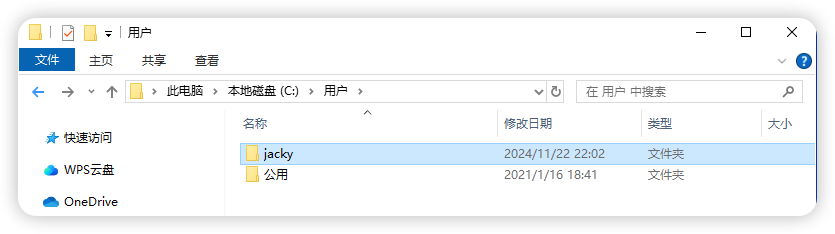
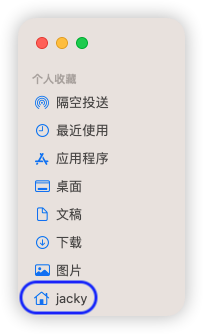
On Windows, macOS, and Linux, the "Home folder" is where your "Downloads" folder is located.
- Windows:
C:\Users\YourName, or simply enter%USERPROFILE%in the file explorer address bar and press Enter. - macOS: Click the folder with your name in the Finder sidebar.
- Linux: The
~directory.
How do I get remote assistance?
If you encounter difficult issues that cannot be resolved through simple communication, we can provide remote assistance. Before this, please install the ToDesk software.